
GPM Companion › Event Producers & Conferences
A run of show timer for event producers and conferences.
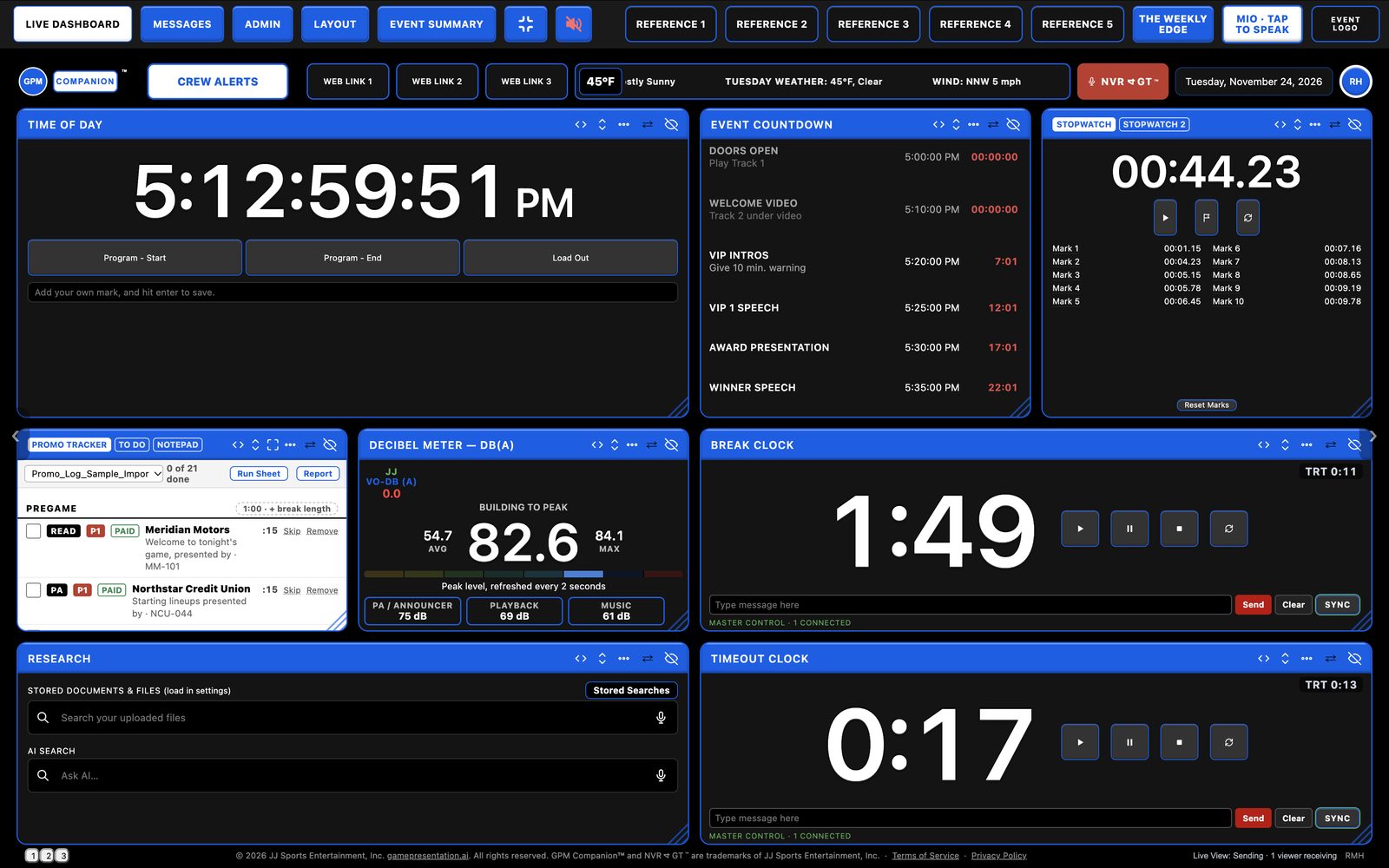
Keep speakers, segments and crews on time. GPM Companion gives event producers one dashboard for every clock, cue and task, and a clean report for the client when the event ends.
Start Your Free 30-Day Trial$499 per year plus tax · You + 1 Teammate + 3 View-Only seats · No credit card needed for the trial
Where it helps
Keep speakers on time
Run each session on a named Time Tracker with total running time and spoken warnings before time is up.
Manage the show day
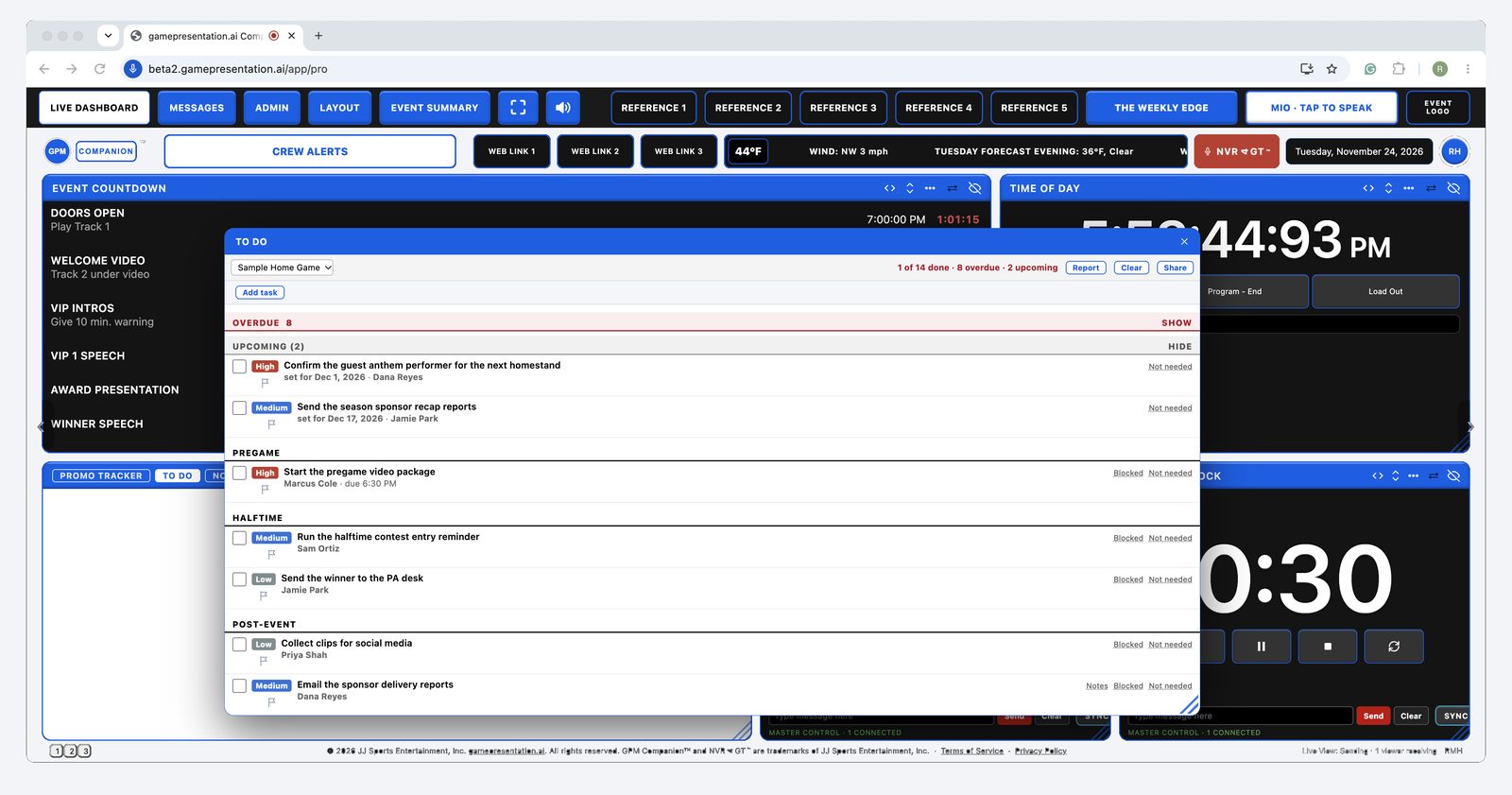
Pre-show and show-day tasks with owners, notes and overdue alerts, so nothing slips between rooms.
Report to the client
One Event Summary with timings, notes and what ran, ready to email when the event ends.
What you run with GPM Companion
Break, Timeout & Time Trackers
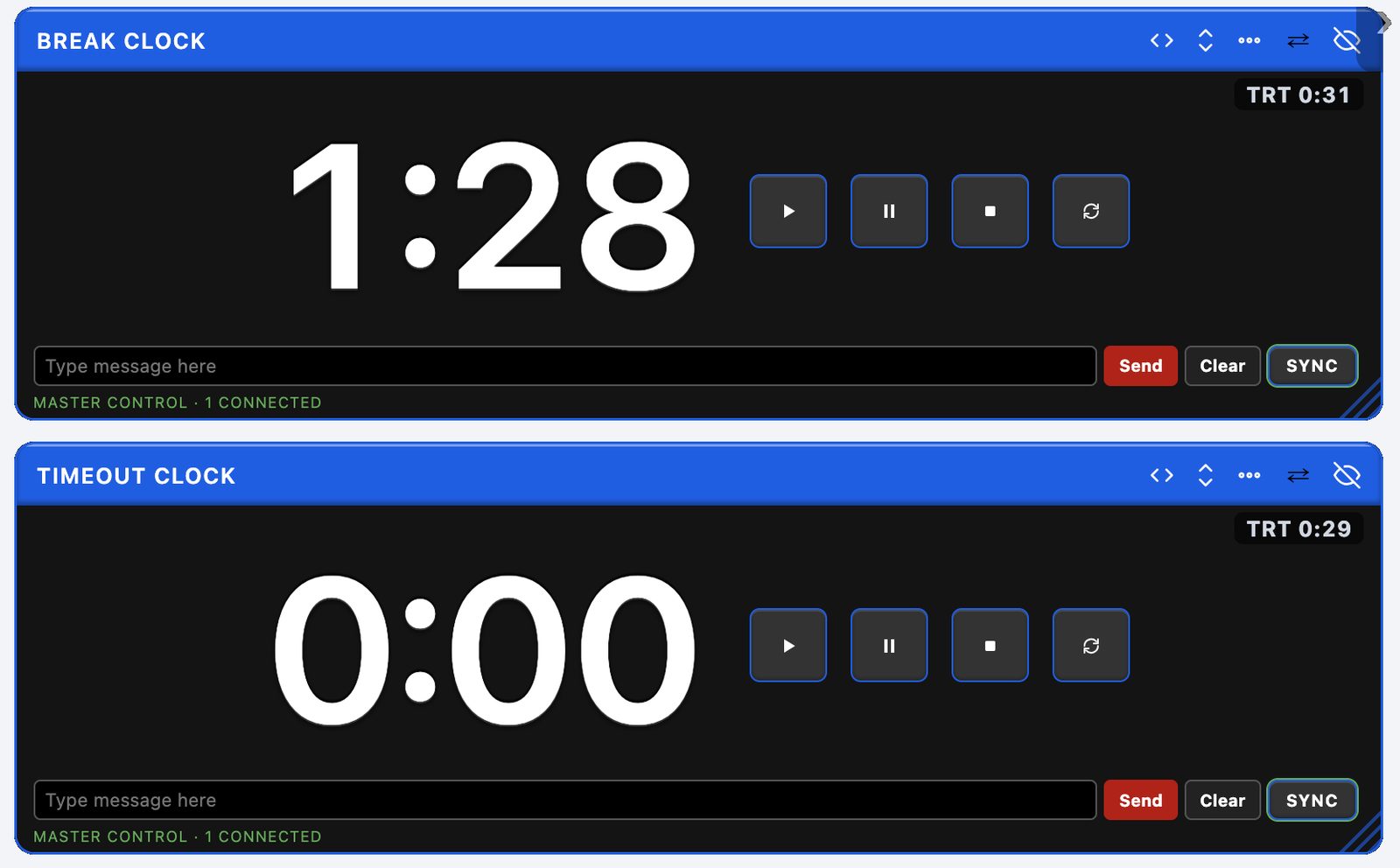
Countdowns and count-ups with total running time, voice warnings and up to eight named Time Trackers for talent, segments and changeovers.
Event Countdown
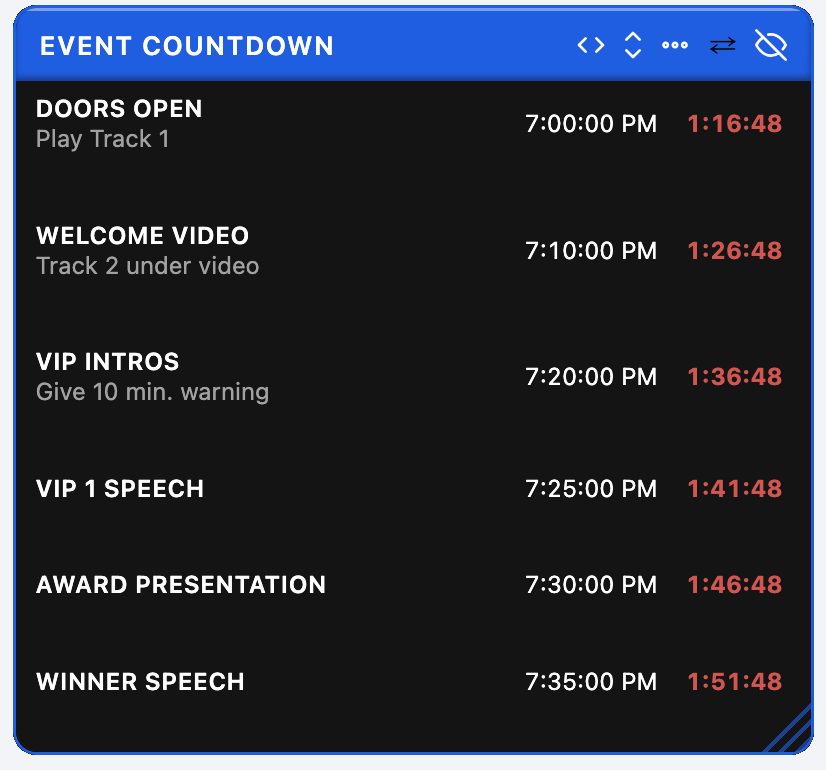
Countdown cues to doors, anthem, walk-on, start time or any moment you name, with custom sounds and voice callouts.
To Do with alerts
Pre-show and show-day tasks with owners, notes, print and overdue alerts for the people who need them.
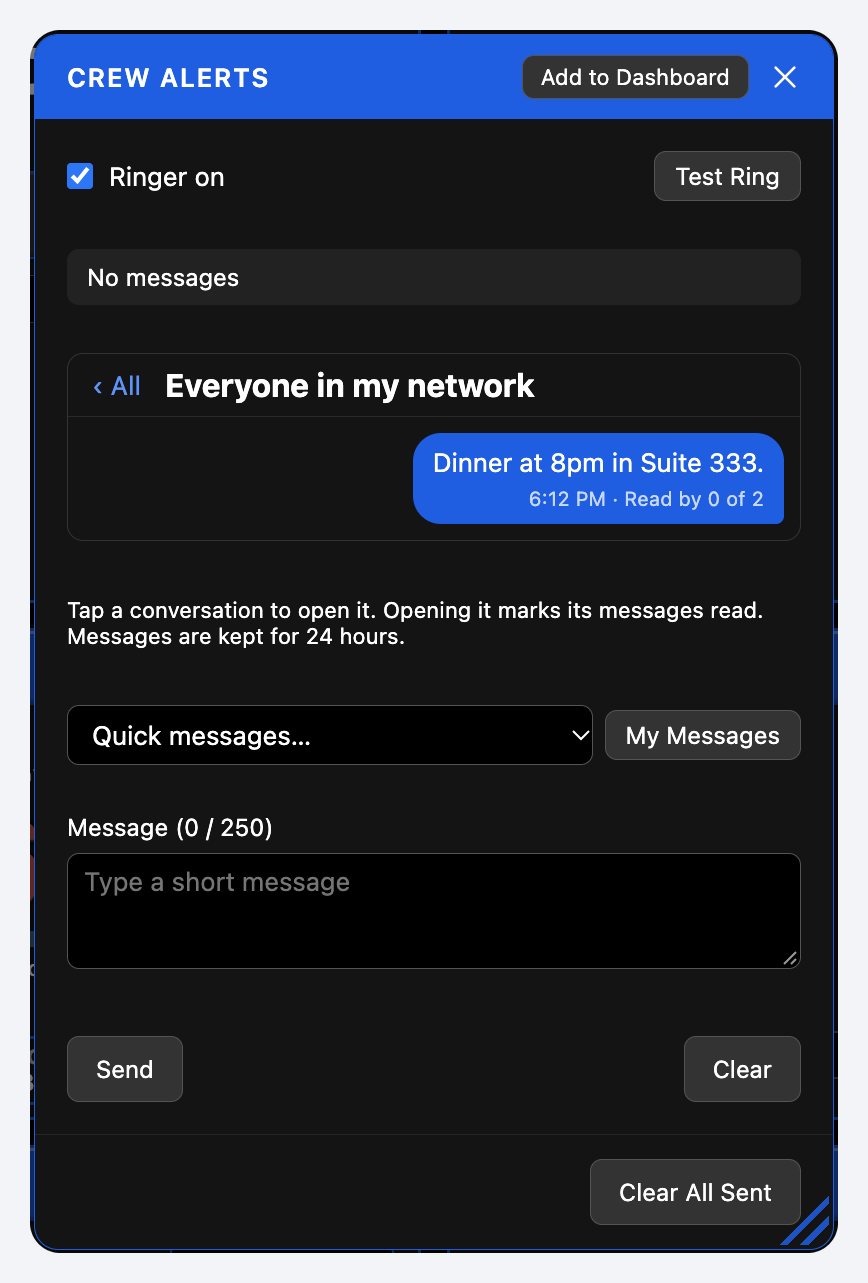
Crew Alerts
Send a ringing alert to the whole crew or one person, with read receipts, so nobody misses a cue.

Reference Buttons
Your run of show, scripts and rundowns one tap away, searchable on show day.
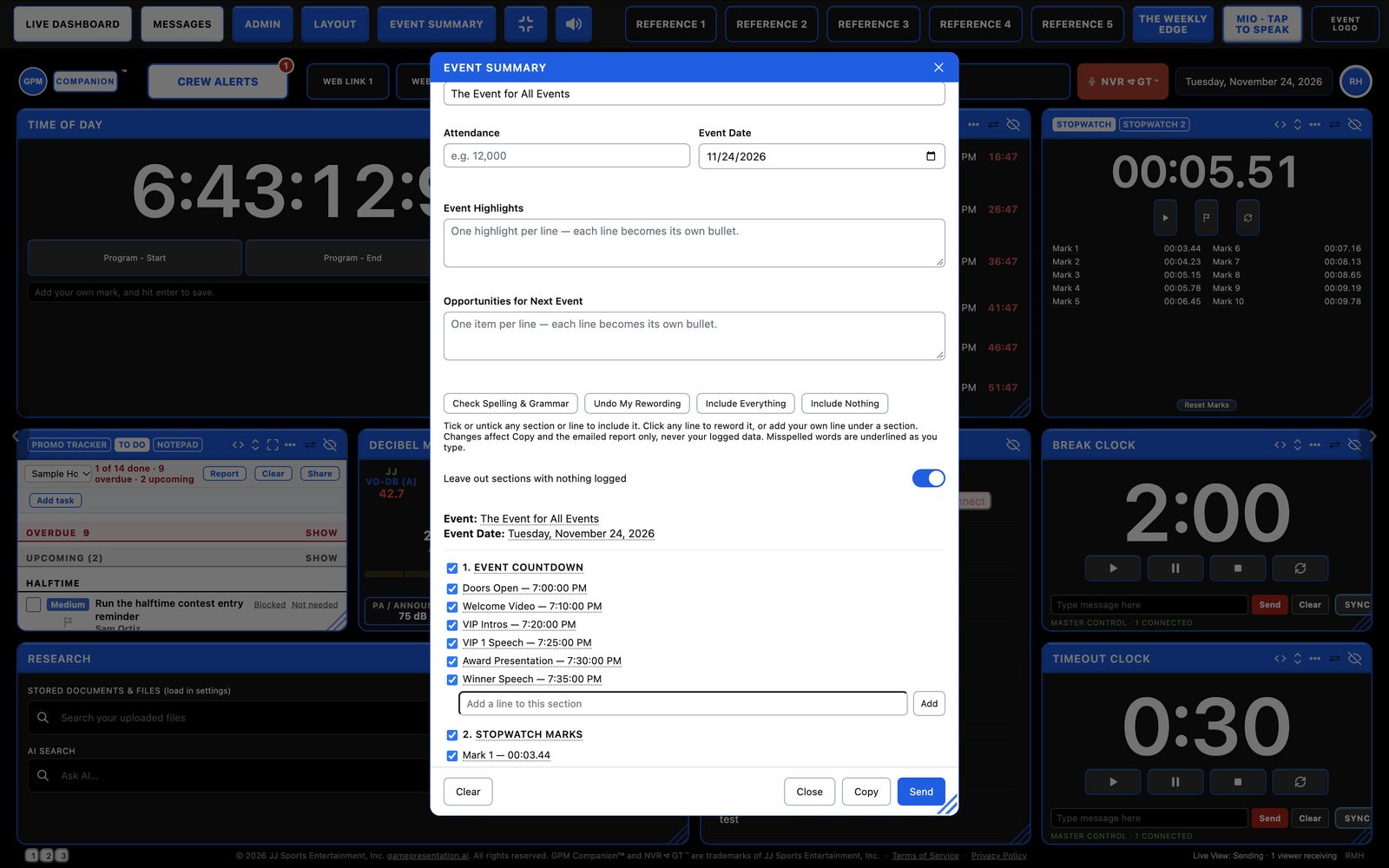
Event Summary reports
One report after the show: clocks, reads, decibel peaks and notes, ready to email to your boss or your client.
Questions
Is GPM Companion event management software?
It is the show-day side of event management: timing, cues, crew communication, tasks and reports. It works alongside your registration and planning tools.
Can I use it as a speaker timer?
Yes. Use Time Trackers or the break clock as a speaker timer, and share it to View-Only screens for the stage manager and producers.
Can the client see a report?
Yes. The Event Summary can be edited and emailed after the event.
How much does it cost?
$499 per year plus applicable tax, with a free 30-day trial and no credit card needed.
Stay on time. Every time.
Try every feature free for 30 days. No credit card needed.
Start Your Free 30-Day TrialQuestions? [email protected]